Ajith Canada general Ilayathalapathy Vijay Jilla movie Flop Ilayathalapathy Vijay Jilla movie hit India Israel movie review Personal Sathuranka Vettai Tamil Movie review Secrets of Arctic and Antarctic Ice Oceans Settai movie Hit Shah Rukh Khan's film Raees Flop Shah Rukh Khan's film Raees Hit Shah Rukh Khan's film Raees movie review Shah Rukh Khan(SRK) to be awarded ‘Datuk’ Shankar MOVIE 'I' News Shankar Praise Vijay - After Rajini Shankar talk about Endhiran(Enthiran)- latest News Shruthi Haasan in Ultimate Star Ajith's Next Film and Picture gallery Singam 3 Hit or Flop size – zero figure Piaa Bajpai Sneha and Prasanna to get married in June Soodhu Kavvum Movie Flop review Soodhu Kavvum Movie Hit Soundarya Rajinikanth Marriage and Reception Gallery Soundarya Rajinikanth’s Ocher Studios and tennis player Mahesh Bhupathi comes together on new concept in South Indian cinema Special about Straight Talk SRK and Rajini together in RA ONE SRK fires John Buchanan Start Blogging Using Wordpress or Blogger Story Line of Goa Subramaniam Badrinath got Madhavrao Scindia Award Sun Pictures bags Ilayathalapathi Vijay's much-celebrated 50th Film Sura Rights Sun Pictures to release Avm's Ayan Movie Sun TV Network has appointed Ajay Vidyasagar as CEO superhit combo on Billa 2- Latest News SuperStar Superstar Rajini Kabali movie New Release Date Superstar Rajini Kabali movie Release Date - Latest News Superstar Rajini Kabali movie Release Date Confimed Superstar Rajini Kabali movie Story Line - Latest News SUPERSTAR RAJINI New Movie to be directed by RANJITH tamil nadu 10th result tamil nadu board exam results

Birthday Wishes


happy-birthday-talent
Yesterday it’s my Friend Bala’s (bolavayu) birthday. We usually celebrate his birthday as Talent day in our college.

Oh! Don’t think he is very much talented. We kept this for special purpose. Which is very much opposite of talent?

This day, I and my other friends had a plan, to wish him through SMS. We thought to send more than 500 sms or even 1000 sms wishes to him. And it worked out well. He gets annoyed with these much of sms. wow!, Our plan worked out very well.

 
We had a great fun with him…

Hope he is blessed with all the happiness.

Google Squared-New search tools for Google search platform

google-squaredGoogle unveiled search tools for its Google search platform which includes Google Search Options and Google Squared. And also quirky planetarium-type application for Google Android phones called SkyMap.
Google’s search products vice president Marissa Mayer told that Google’s Searchology event in Mountain View. Google was looking to make its search tools better, more specific and more sophisticated than ever before certainly a Google prerogative as the search giant looks to maintain its heavyweight status and put even more distance between itself and the competition.

Another new features is Google Squared which search, creates a spreadsheet of information on a particular topic, allowing the user a visual and line-by-line comparison of various results. Drawing together a broad collection of comparable data points, not just listing search results, is a key characteristic of WolframAlpha, the new search tool created by Mathematica idea man Stephen Wolfram. Google seems to fear competition from WolframAlpha about as much as it did Cuil, the sputtering search engine launched last summer by ex-Google employees. But Google’s interest in a similar approach to WolframAlpha also sends a clear message to potential Google challengers that they’d better get even more creative as Mountain View looks to stay ahead.

Google’s new tools also might say a lot about what it perceives its market-share competition to be. Google Search Options, for example, allows users to “slice and dice” data according to different metrics, including how recently certain page results were updated. The flavor there? Realtime. And realtime, as everybody knows is something associated with platforms like Twitter and other social networking services. Last month, Google-to-buy-Twitter rumorl was churning at full speed, one of the key selling points, observers noted at the time, was that having a Twitter-like platform in its stable would push Google toward a realtime search engine capability.
The research firm Hitwise submitted search engine traffic data for April that suggests Google’s lead in the market continues to widen. According to Hitwise, nearly 73 percent of all online searches in the U.S. in April were through Google. Yahoo clocked in for April at 16.27 percent, Microsoft’s MSN Search claimed 5.68 percent and Ask.com claimed 3.95 percent. Hitwise also noted in its report that longer search queries are becoming more popular with the average search now employing three words or more – key piece of information to consider as Google and its rivals continue to tweak their search engines.

How To Start Blogging Using WordPress or Blogger?

How To Start Blogging Using WordPress or Blogger?

Starting a blog is also a great way to create a web presence if you do not already have one than have it. Thanks to services like WordPress and Blogger where anyone can start a blog. There is no need for you to know anything about web design or hosting.

Blogging is all about writing content and building a community of readers. Blogging is a great way to communicate, build credibility and expertise.
To bring more traffic to your web site, sharpen your writing skills, and so much more.

To setting up a wordpress Blog: Go to wordpress.com and create a free account. You will be asked to choose a name for your blog. It will look like this: yourname.wordpress.com. Go ahead and create a test post. You can delete it later. To add a post, you can click on the New Post button in the grey bar that runs across the top or click on Add New under the Posts category on the left hand bar.
Once you write your article you will want to do a few other things before you post. First, you will want to add tags for your post. After you add tags and categories, you can go ahead and publish your post. Visit Site to view your post after you publish it.

To change your blog’s design, go back to your WordPress dashboard. You can do this directly from your blog by typing /wp-admin after the web address. I.e. yourname.wordpress.com/wp-admin. Be sure to hit enter. When you are back in the dashboard, click on Appearance in the left hand column. Then click on Themes. This will take you to the themes page. Look through the theme thumbnails and pick one that you like. To use it, all you have to do is click on it. It will bring up a preview and you will click on Activate this Theme at the top right corner of that preview. Now, you have a new theme. Click on View this Site to see what it looks like. You can get further customizations for your WordPress blog by visiting WordPress.org and clicking on Extend. Here there are a lot of free options to customize your blog.

To setting up a Blogger (or) blogspot blog: To setting up a Blogger (or) blogspot blog it is much easier. If you have Gmail account then you can log in to that account and choose a name for your blog. After that go ahead and create a post. To add a post, you can click on the New Post button. Once you write your article go ahead and publish your post. Visit Site to view your post after you publish it.

Google’s Android mobile and netbooks

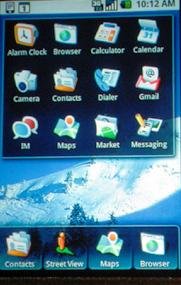
google-androidIt is predicted that Google’s Android mobile operating system could be running on 18 to 20 devices by the end of the year.

According to Andy Rubin (Google’s senior director for mobile platforms), about 18 to 20 phones from eight to nine manufacturers will come with Android OS installed on them by the end of the year.

Android will continue to be open source. Manufacturers will have the option of installing android “obligation-free” onto their devices, which means the user will have access to the OS but not Google Apps such as Gmail, Google doc, etc.

A second option for manufacturers that sign a distribution agreement with Google will allow them to pre-install Google Apps onto their devices.

The third option knows as the Google Experience opens up the manufacturer’s devices to Google Apps and the Android Market. Phones which fall under the “Google Experience” will also be branded with the Google logo on the physical handset.

A number of companies have announced plans to roll out Android-equipped smartphones. HTC is currently preparing Google Android smartphones for the Chinese and Canadian markets for a June rollout.

On top of this, Android is also being ported onto mini-notebooks which also known as “netbooks,” as an operating system. With research firm IDC estimating that netbook shipments will grow from 11.4 million in 2008 to 22 million in 2009 hence the market represents a potentially massive growth area for Android.

Intex New mobile Technologies – With 45 days battery life

intex-hero-mobileIntex Technologies has launched a mobile handset for rural India with 45 days battery life. The mobile handset comes with very useful features. This mobile handset is priced at Rs 2999 only.
In rural areas where electricity outage is the norm, the 45 days standby time for the mobile phone is a feature that people cannot ignore.

The mobile manufacturing companies are now devising new strategies to reach out India’s predominantly rural areas where mobile density is still low.
The newly launched mobile handset from Intex features:

  • *FM radio
  • *Camera
  • *Expandable memory
  • *MP3 audio player
  • *1000 contacts phonebook memory.

The phone comes equipped with a powerful 1800mAh rating battery – the phone offers a talk time of 9 hours and 45 days stand-by battery life

Tamil Nadu SSLC, 10th (or) Xth Board Examinations Results 2009

Tamil Nadu SSLC Xth (or) 10th Results 2009.

SSLC, Xth (or) 10th Results of Tamil Nadu Board examinations would be released at 9am on May 23.

The results can  be accessed on a websites and through phone and e-mail as well.
School students can get their marks at the same time from their respective schools.

Tamil Nadu SSLC 2009 Results will be published online once announced by the TN SSLC Board. tnresults.nic.in

TN SSLC 2009 Results when declared will be available online on the following website

TnResults

SERVER1

SERVER2

SERVER3

SERVER4

Pallikalvi

The results can also be accessed through Phone:
Airtel landline 1250108

Reliance CDMA 5550008
The results can also be accessed through SMS

For BSNL sms 57777 (TN10<ROLL NO>)
For BSNL Tamil Nadu circle SMS SSC *** 53344 or MAT *** 53344 or ANG *** 53344 followed by registration number

For AIRCEL SMS 57799

AIRTEL SMS 53030, 543217,
Reliance SMS 53030, 53030303, 53030101
TATA SMS 12971.

Results In Your Mail Inbox:

visit results.sify.com?vsv=smm

1 51 52 53 54 55 69